The app
The window you spend time in — sessions panel, approvals, settings. Quietly launches a helper in the background so you never see it.
o10r orchestrates multiple claude -p sessions across your desktop and headless hosts. One inbox for approvals. One view of every session in flight. No more juggling terminals.
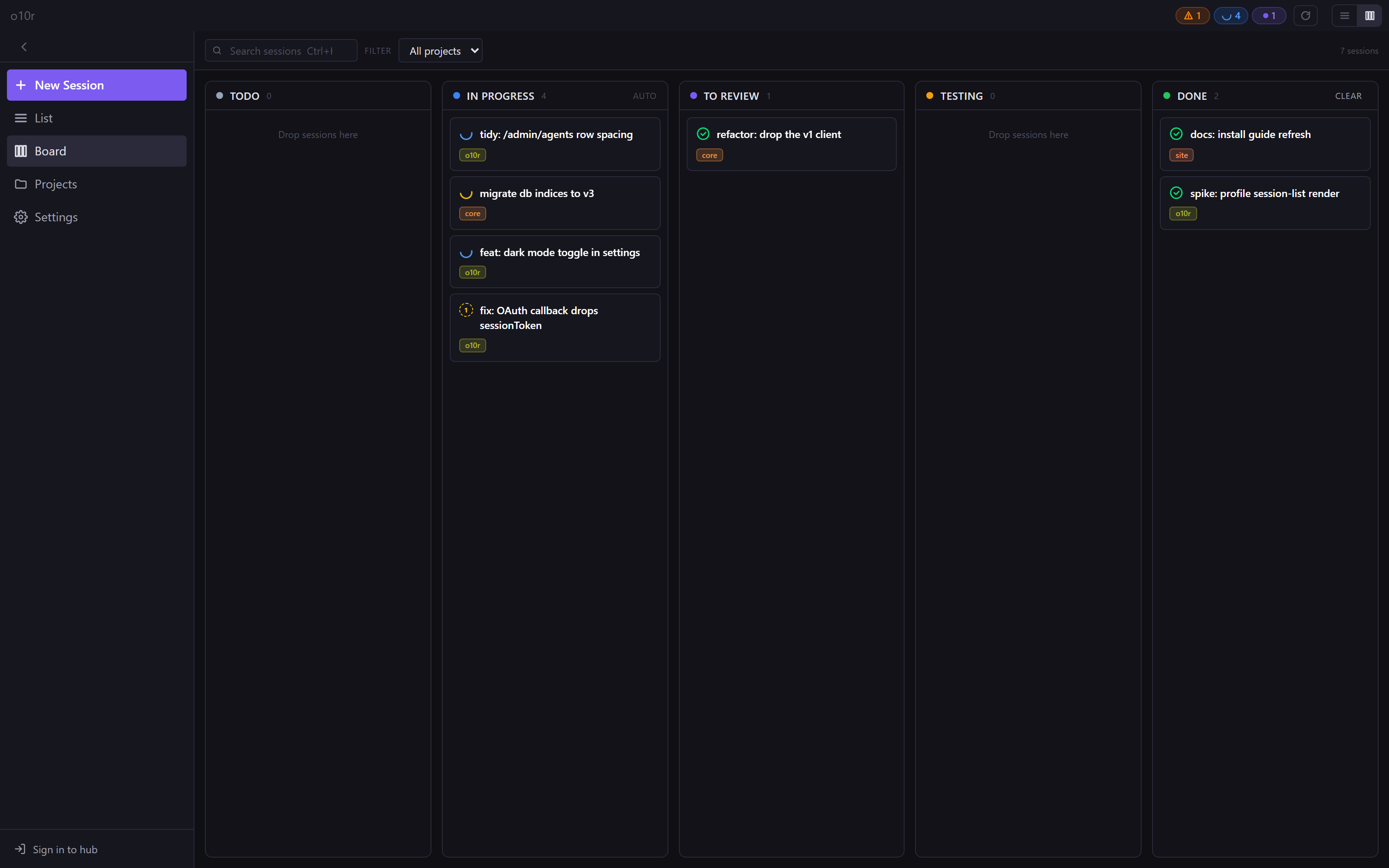
o10r is the connective tissue between the Claude Code CLI and the way you actually work.
Spawn as many Claude Code sessions as your machine can run. Each session has its own cwd, model, and approval state. Switch between them like browser tabs.
Tool permission prompts from every session land in a single queue. Approve, deny, or remember a rule — and your sessions resume instantly.
Run agents in devcontainers, on a NAS, or on a remote server. They register with your hub over WebSocket and show up in the same dashboard as your desktop.
A self-hosted hub fans agents out to mobile and web clients. Control your work from your phone while the agent runs back home.
Headless agents pull tarball releases from the hub on a schedule and restart cleanly when sessions drain. No manual SSH-and-redeploy.
Per-tenant ACLs scope every RPC. Path allowlists keep remote callers inside registered project roots. Updates verify sha256 + same-origin before swap.
See it in action
Switch freely between a kanban board, a list with a focused session, or just the approvals queue. They're all live views over the same sessions.
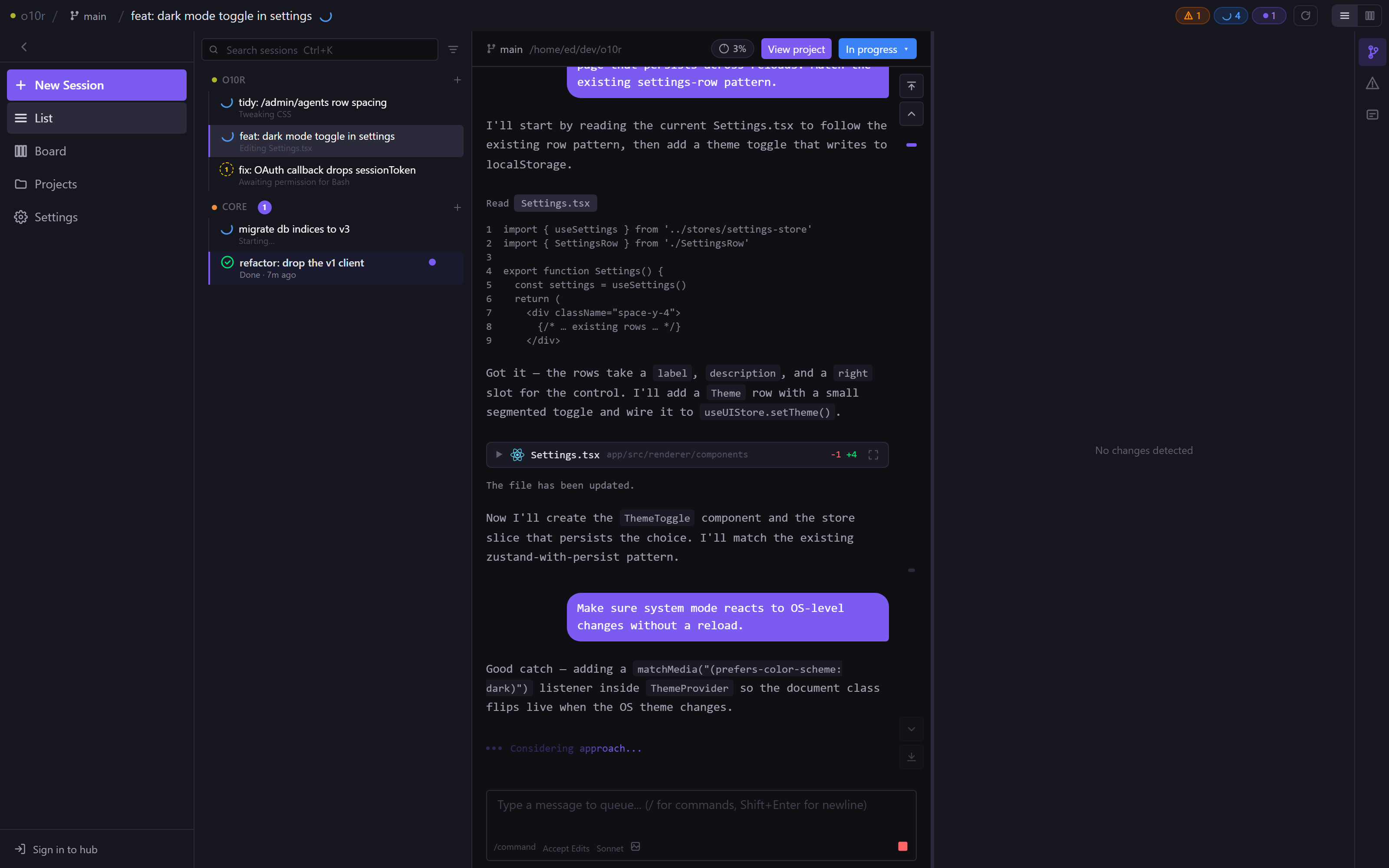
Sidebar of every session you have in flight, grouped by project. Click one to open its full transcript on the right.
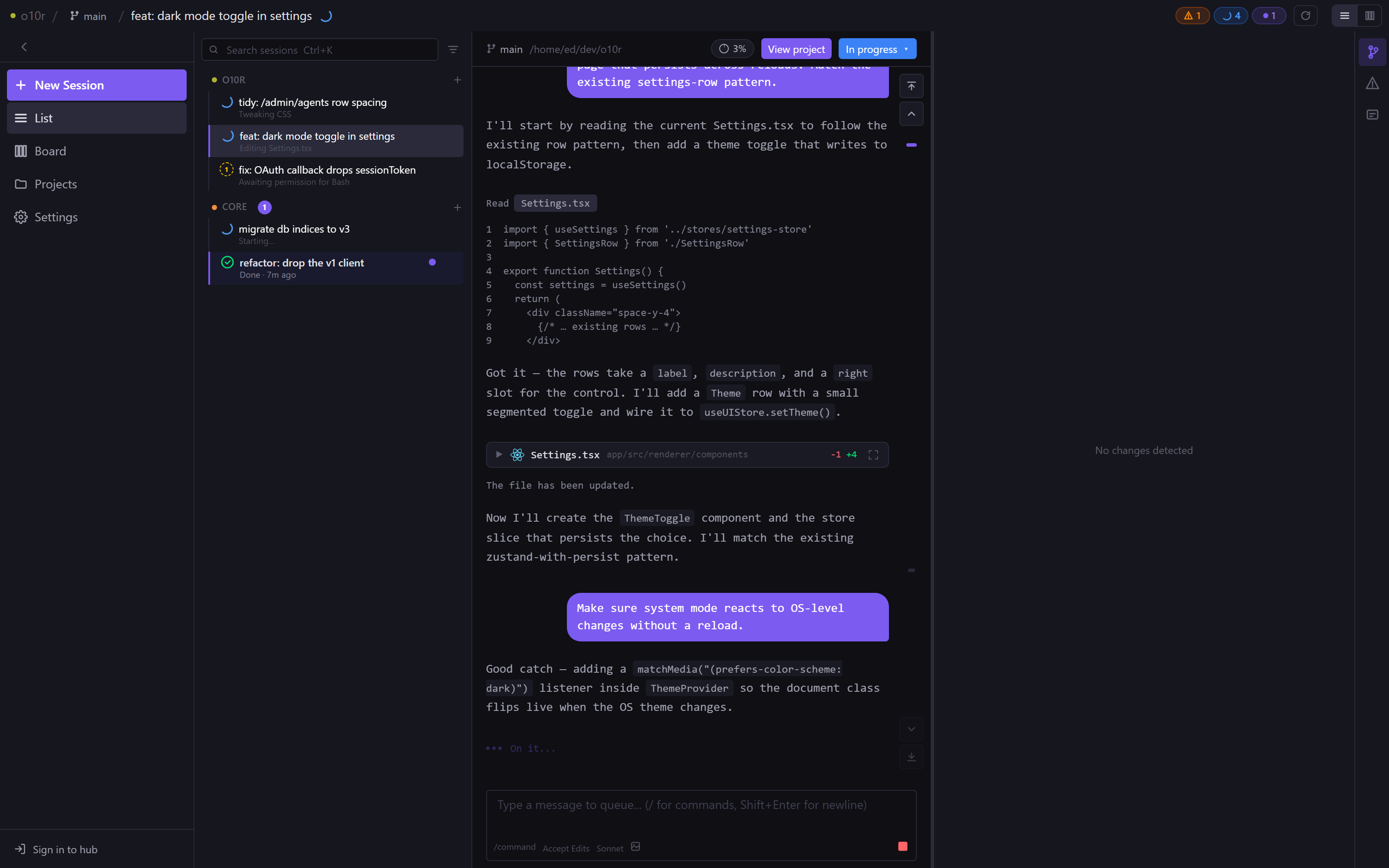
Live transcript with tool calls, file reads, and the running message queue. Type a follow-up while Claude is still working.
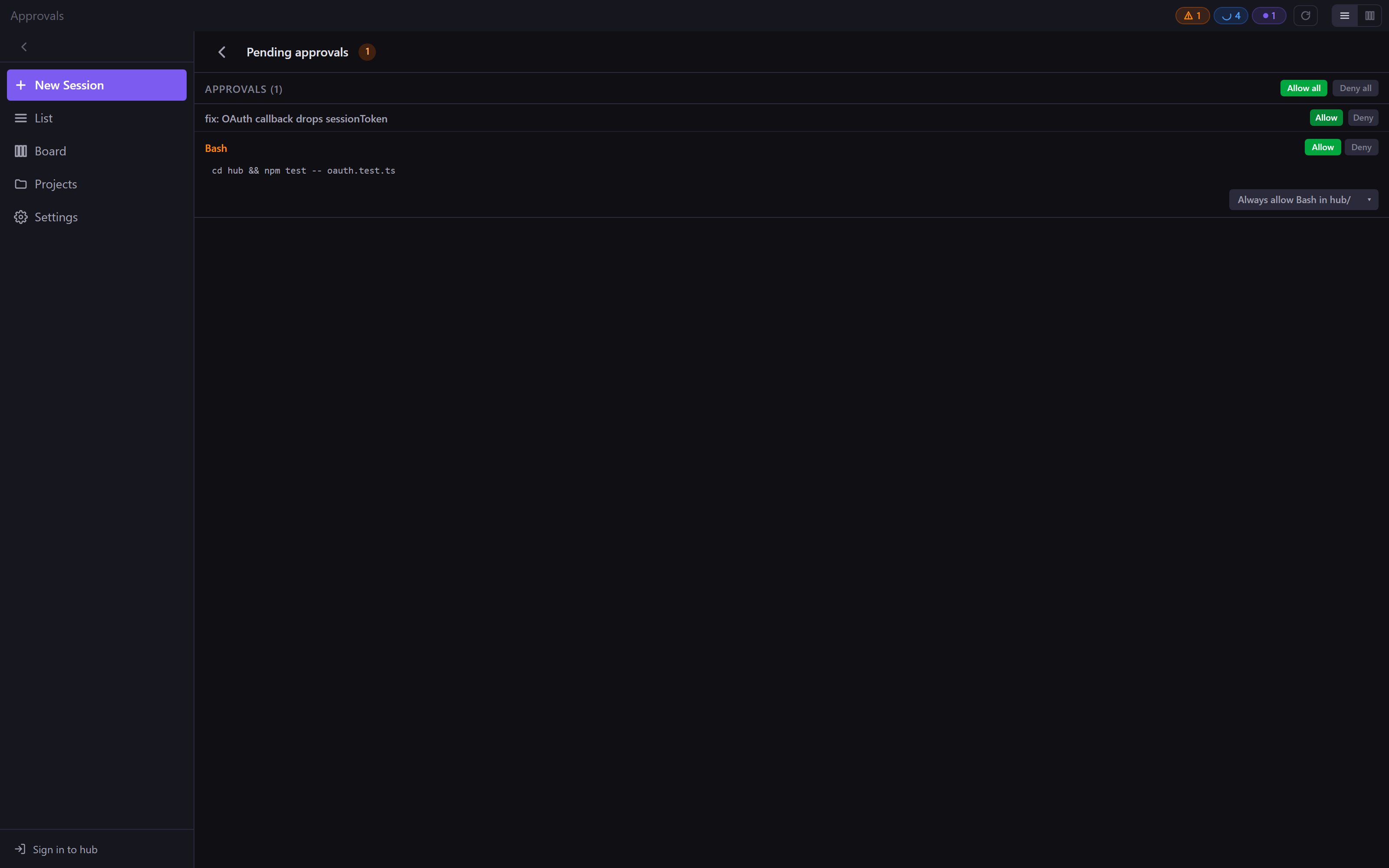
Every pending permission prompt, from every session and every agent, in one queue. Approve once or set a rule.
How it fits together
Use the desktop app on its own, or add a hub when you want to reach your sessions from your phone or a remote box.
The window you spend time in — sessions panel, approvals, settings. Quietly launches a helper in the background so you never see it.
Small background process that actually runs your Claude sessions. Lives on whichever machine you point it at: your laptop, a remote server, a devcontainer.
Optional. A small server you host yourself that connects agents to browsers. Lets you check on a session from your phone, or run one on the box in the corner.
Install in a devcontainer
No tokens to thread through a shell pipe. Download the binary, then run the first-time pairing step to register it with your hub.
# 1. Download (public, no token needed)
curl -fsSL https://o10r.edwardsalter.me.uk/hub/install.sh | sh

# 2. Pair with the hub — interactive; mint a token at /agents/new first
~/.o10r/agent/o10r-agent --register

# 3. Start it
~/.o10r/agent/o10r-agent
New releases land on tag push; agents check every 6 hours and stage updates atomically. Full install guide →